Ever thought about playing your favorite games without needing a high-end PC? Cloud gaming changes everything by streaming your best titles directly from far-off servers to nearly any device you have.
Imagine switching from your tablet to your TV in a flash, each move sparking the thrill of a live event. With just a solid internet connection, the limitations of your gear simply vanish.
This new way of gaming lets you dive into the action wherever you are, turning everyday play into a supercharged adventure.
How Cloud for Gaming Works: Key Benefits and Drawbacks
Cloud gaming is like having a magic window that lets you play your favorite games without needing a fancy computer or waiting for long downloads. The game is streamed straight from remote servers, so your device, be it your smart TV, tablet, smartphone, or laptop, acts as your gateway to the action.
It’s a super cool setup. With just a fast and stable internet connection and your gaming gear (like a controller or keyboard and mouse), you can dive into the game without any fuss. Imagine starting your game on your laptop one minute and then switching to your smart TV the next, picking up right where you left off. How awesome is that?
Here are a few big wins:
- Instant play with no waiting around for downloads.
- Zero worries about running out of storage since nothing gets downloaded.
- Easy, smooth switching between devices that keeps your progress safe in the cloud.
Of course, there are a couple of things to keep in mind:
- You really need a good high-speed internet connection for a seamless experience.
- Sometimes, a bit of lag can pop up, which might be a miss for fast-paced games.
- The performance might vary depending on where the servers are and how strong your network is.
Cloud gaming offers a fresh, speedy way to jump into your games without the usual hardware headaches. It’s as simple as switching your favorite music playlist, just pick up your device and play, all while the game’s progress lives safely in the cloud. Enjoy the game!
Top Cloud for Gaming Platforms Compared
Cloud gaming is shaking up the way we play by putting your favorite games right at your fingertips. With remote gaming, you don't need a heavy console or PC nearby, just your regular devices and a good internet connection. Whether you lean toward Xbox remote play, prefer a PlayStation streaming service, or enjoy free PC streaming access, every service brings different perks and subscription plans.
Take a look at the table below to see a quick side-by-side of cost, supported devices, and unique features for each platform.
| Platform | Pricing & Subscription | Device Compatibility | Key Features |
|---|---|---|---|
| Xbox Cloud Gaming | Free with a Microsoft account for limited play; Game Pass Ultimate at $14.99/month | Smartphones, tablets, PCs, smart TVs | Hundreds of games and smooth switching between devices |
| PlayStation Plus Premium | $17.99/month, $49.99 for 3 months, or $119.99/year | PlayStation consoles and Windows PCs | Classic game lineup and timed trial periods |
| Amazon Luna | Prime Gaming channel free; Jackbox at $4.99/month, Luna+ at $9.99/month, Ubisoft+ at $17.99/month | PCs, Fire TV, smartphones, tablets | Multiple pricing channels with extra gaming options |
| Nvidia GeForce Now | Basic free; Performance plan at $10/month; Ultimate at $20/month plus day passes | PCs, Macs, Shield TV, and others | Links with Epic, Ubisoft, and Steam libraries |
| Boosteroid Ultra | $10/month subscription | PCs, smartphones, tablets | Quick controls and smooth game streaming |
| Blacknut | Monthly pricing varies | PCs, smart TVs, mobile devices | Access to over 500 games |
When picking a cloud gaming service, think about the overall cost, which devices you use, and what special features match your gaming style. Maybe you love getting started with a free trial on Xbox Cloud Gaming, or you’re drawn to the classic game collection in PlayStation Plus Premium. Amazon Luna and Nvidia GeForce Now offer flexible pricing along with links to popular game stores, while Boosteroid Ultra and Blacknut are great if you're on a tighter budget. Compare these details to find the service that really lights up your gaming world.
Technical and Performance Essentials for Cloud Gaming

Imagine diving into cloud gaming with a super-fast, solid internet connection that makes every moment smooth and vibrant. The goal is to hit at least 60 frames per second on high settings, giving you a feel that's as exciting as a live event. GPU-accelerated servers and strong streaming networks work together to deliver top-notch game streaming, kind of like watching your favorite movie in crisp detail, only you get to be part of the action.
The speed and feel of your game really depend on your network. If there's too much input lag, even the fastest games can seem choppy. Basically, the closer you are to the servers and the better your local network, the lower the lag, perfect for those fast-paced, reflex-demanding games.
And let's not forget about your gear. Whether you’re using a controller, keyboard, mouse, smart TV, PC, tablet, or streaming stick, each device plays a key role. All these elements combine to ensure you’re not just connected but truly immersed in every digital moment.
Pricing Models and Subscription Options in Cloud Gaming
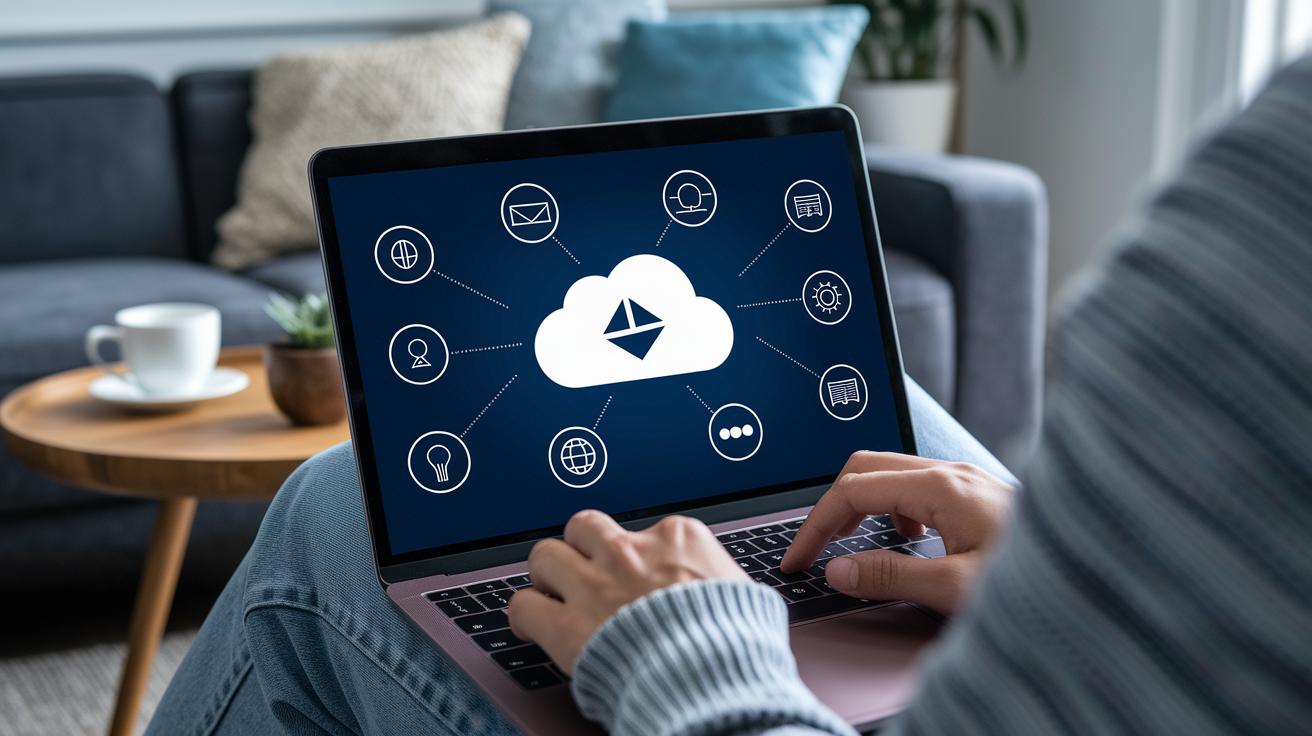
Cloud gaming subscriptions make it easy to manage your budget by cutting out the need for expensive hardware. They let you choose the play style that fits you best, offering plans that range from free, introductory options to premium tiers with longer play times and crisp graphics.
Think of it like upgrading your streaming service to enjoy high-quality shows; here, upgrading your plan means boosting your game experience with top-notch performance. It's a simple switch that feels as natural as picking your favorite channel.
When you look closely, the real advantage lies in their flexibility. These subscriptions let you keep your monthly costs steady and adjust your gaming adventure as trends shift. This way, you get more value for every dollar spent without getting bogged down by complicated pricing details.
Step-by-Step Cloud for Gaming Setup Guide

Step 1: Check Your Connection and Device
First, make sure your internet speed is strong enough. Run a quick speed test on your device to be sure. Also, double-check that your smart TV, tablet, or laptop is set up for game streaming. A little review of your router and device settings now can save you a headache later.
Step 2: Set Up Your Account and Subscription
Next, sign in or create an account with your service, whether it's Microsoft, PlayStation, Amazon, or NVIDIA. Activate your subscription to unlock all the features. For example, if you're diving into Xbox Cloud Gaming, you may get a taste for free before upgrading to a full plan.
Step 3: Install the App or Open Your Browser
Now, download the streaming app on your device or open up your favorite browser. Log into your account, and you'll have access to a whole library of games. It's just like installing any app on your phone.
Step 4: Connect Your Controller or Peripherals
Time to link up your controller or other devices. Pair your Bluetooth or wireless controller, or set up your keyboard and mouse. Check the app settings to ensure your controller is recognized, so your game inputs stay snappy and ready to go.
Step 5: Start a Game and Adjust Your Stream
Finally, launch your game from the cloud and use the save feature to keep your progress safe. Tweak settings like resolution and frame rate until your stream feels just right. Enjoy the game, and feel free to adjust as you play.
Pros and Cons of Cloud for Gaming Compared to Local Hardware

Cloud gaming lets you dive into your favorite games without needing to splash out on expensive consoles or high-end PCs. One of its coolest benefits is that you don't have to invest in lots of hardware. You can jump into a game almost instantly and keep playing across different devices. It’s kind of like having your own gaming club that’s always open, no matter if you’re on your laptop, phone, or tablet.
But here's the thing: cloud gaming really depends on your internet connection. A slow or unstable connection can cause annoying lags or even cut you off right in the middle of an epic match. Plus, those monthly subscription fees can add up over time. And sometimes, performance can change based on where you live or which servers you're connecting to.
On the flip side, traditional consoles and PCs give you local performance, meaning you own your games outright and can usually play offline with no worries about connectivity. So, when you’re deciding what’s better, think about whether you’d rather pay less upfront with cloud gaming or enjoy a consistently smooth and controlled experience with local hardware.
Future Trends and Innovations in Cloud for Gaming

Hardware shortages and changing needs have pushed more gamers towards cloud gaming. Recent updates now let more people enjoy streaming, even if you’re not a premium member. New tech like 5G integration (that means faster internet on the go) and AI-driven adaptive streaming (which adjusts quality in real time) is changing the way games are delivered. Imagine playing a clear, high-res game on your tablet while your console takes a break. It’s a neat peek into what’s coming next.
Cloud gaming is stepping into the spotlight with cool tech like GPU-powered cloud servers and VR experiences that take you right into the game world. There are also smart features like load balancing, flexible server scaling, and special streaming protocols that cut down lag and boost clarity. The outlook is positive as subscription services get more affordable and gameplay becomes even more interactive. These changes aren’t just minor updates; they’re set to transform our digital adventures and raise the bar for cloud gaming. Get ready because more breakthroughs are on the horizon to make your game play smoother and more exciting.
Final Words
In the action, we explored how cloud for gaming streams video games, making it easy to play on multiple devices without downloads. The post broke down key benefits like instant access and flexibility while pointing out challenges such as internet dependency. We also checked out top cloud gaming services, technical needs, pricing models, and a simple setup guide. Altogether, these points serve as a solid guide for anyone curious about trying cloud for gaming. Embrace the excitement and see what digital play has in store for you.
FAQ
What is Xbox Cloud Gaming?
Xbox Cloud Gaming offers on-demand play by streaming games from Microsoft servers directly to your device, letting you enjoy titles with a free account or through Xbox Game Pass Ultimate.
What is GeForce NOW?
GeForce NOW streams games from powerful remote servers, letting you play high-quality titles on less demanding hardware, with options available in both free and paid plans.
What does “cloud for gaming free” refer to?
“Cloud for gaming free” describes free tiers from services that let you try streaming games without needing a subscription, providing limited access to game libraries.
How can I find cloud gaming discussions on Reddit?
When you see “cloud for gaming Reddit,” it refers to community discussions where players share tips, experiences, and troubleshooting advice about various streaming platforms.
How do I download Xbox Cloud Gaming?
“Xbox Cloud Gaming download” means accessing the service via a browser or compatible app, allowing you to start playing without the need for extensive installations.
What devices support cloud gaming on PC?
“Cloud gaming PC” lets you stream games from remote servers onto a range of devices like laptops, desktops, and smart TVs without needing to install large game files.
What is Jio Cloud Gaming?
Jio Cloud Gaming streams games from remote servers, offering users in select regions an option to experience various titles on multiple internet-connected devices.
How can I use Xbox Cloud Gaming on Android?
Xbox Cloud Gaming on Android allows you to stream games directly on your mobile device via a compatible browser or app, syncing with Xbox Game Pass for easy access.
How can I play Fortnite through cloud gaming?
Fortnite cloud gaming, or Fortnite Battle Royale streaming, lets you enjoy the game without traditional downloads, enabling play across devices through remote servers.
How does Xbox Game Pass work with cloud gaming?
Xbox Game Pass integrates with cloud gaming by offering subscribers access to a vast library of streaming titles, removing the need for powerful local hardware and lengthy installations.
Is Tom Clancy’s Rainbow Six Siege available on cloud gaming platforms?
Tom Clancy’s Rainbow Six Siege is available on select cloud gaming services, allowing you to enjoy the tactical shooter without investing in high-end equipment.