
Have you ever noticed how a tiny change in design can feel magical? Interactive design makes screens come alive by mixing simple hints with clever ideas. When a button shifts color as you move your mouse, it’s like the screen is saying, "Let's connect." Every tap feels like your ticket to a lively backstage show. In a world where every click matters, interactive design lights up your digital journey step by step.
Interactive Design Fundamentals and Definitions

Interactive design is all about creating digital spaces that react right away when you use them. Think about tapping a button and seeing the screen brighten instantly – it's like the system is saying, "I got you!" Even simple cues, like an icon changing color when you hover over it, let you know that you're in the right place.
But it's not just about looks. It mixes smart ideas from user experience and human-computer interaction to make everything feel natural. When you tap or click, the design responds instantly, guiding you, sharing information, and even sparking a little joy. Every element is tuned to your needs, making the whole experience feel lively and personal, just like a backstage moment at your favorite show.
Interactive design ignites digital brilliance
Design is the secret sauce that makes digital experiences feel alive and welcoming. When you tap, swipe, or click, and everything reacts just as you would expect, it creates a vibe that’s both smart and comforting. It’s a bit like tuning your favorite instrument, each note needs to sound just right for the whole melody to shine. For instance, when a button shifts its color as your cursor hovers, it’s sending a friendly, "Hey, I’m ready for you!" message.
Imagine this:
- feedback – Picture hitting a play button and hearing a gentle chime right away; that quick sound tells you your action worked.
- affordance – Think about a slider that practically invites you to move it, quietly saying, "Give me a nudge to set the volume."
- consistency – Visualize different screens all sharing a familiar look, making everything feel connected and easy.
- responsiveness – Think of a menu that pops up smoothly as you tap, leaving no doubt that it’s on top of things.
- accessibility – Imagine text and icons crafted so that everyone, even those with limited vision, can easily navigate the space.
- clarity – Think about clean icons and labels that leave no guessing on what happens next.
- engagement – Picture interactive games that pull you in and feel like they were made just for you.
When designers bring these ideas to life, they don’t just create pretty pictures; they build experiences that feel natural with every move you make. Every interaction is like a mini performance, responding to you in ways that are both thoughtful and full of life.
Interactive Design Ignites Digital Brilliance

Interactive design turns raw ideas into lively digital moments. Every tap, swipe, or click sparks an immediate, personal reaction, making a plain screen feel like a breathing, vibrant experience.
Research & Ideation
Start by chatting with the people who'll use your design. Surveys, interviews, or even just a friendly conversation can show you what matters most to them. Create simple characters to represent these users, and let your brainstorming sessions flow like an impromptu meet-up with friends. Picture jotting down ideas on napkins and suddenly uncovering a cool new concept. This early work sets you up perfectly to build something that truly speaks to your crowd.
Wireframing & Prototyping
Once you’ve got your ideas, it’s time to sketch them out. Begin with low-detail drawings that show how your design will work. These rough drafts let you experiment without worrying about perfection. Then, move on to a high-detail version that looks and feels like the final product. Using digital tools, you can simulate every button press and swipe so that every interaction feels just right. It’s like watching a handmade sketch come to life on your screen.
User Testing & Iteration
The final step is to let real users try your design. Set up sessions where people interact with your prototype, and listen to how they feel. Watch closely, ask questions, and tweak your design based on what you discover. Running simple A/B tests with different design choices helps you nail down what works best. This ongoing process makes every detail sharper and turns your creation into a truly brilliant digital experience.
Tools and Software for Interactive Design

When you dive into interactive design, the right software can turn a simple idea into an electrifying experience. Designers use these tools to craft smooth, responsive interfaces that feel almost alive with every swipe, tap, or hover. It’s like watching a digital magic trick unfold right before your eyes, effortless and instantly engaging.
Below is a quick look at four popular tools that help take your project from a rough sketch to a polished prototype:
| Tool Name | Core Features | Pricing |
|---|---|---|
| Figma | Real-time collaboration, vector editing | Free starter; $12/editor/mo |
| Adobe XD | Auto-animate, voice triggers | Free plan; $9.99/mo |
| Sketch | Symbol libraries, plugins | $9/editor/mo |
| InVision | Interactive prototypes, design handoff | Free starter; $7.95/user/mo |
Choosing the right tool depends on your team’s vibe and what your project calls for. If your design work is all about smooth teamwork, Figma’s real-time features make sharing ideas easy. And if you’re drawn to features like auto-animation or even voice triggers, Adobe XD could be your go-to. Sketch is a solid pick if you love using symbol libraries and custom plugins, while InVision shines when you need interactive prototypes for a seamless handoff.
Try testing these platforms on a smaller project first. That hands-on experience can show you the subtle differences that help your creative process flow better, and make the whole journey feel more playful and intuitive.
Applications of Interactive Design in Digital Platforms
Imagine visiting a website that feels almost alive. Every click, hover, or scroll lights up with tiny animations and sounds that gently guide you through the experience. It’s as if each element is designed to respond instantly, turning your interactions into a fun, visual conversation with the digital world.
Think about your favorite mobile app that reacts the moment you tap or swipe. The app uses simple touch gestures to bring content to life, offering quick animations and sounds that make you feel right at home. It’s like the app was crafted just for you, inviting you to dive in and explore at your own pace.
Now picture stepping into a virtual world where digital and physical blend seamlessly together. As you move through a virtual gallery, each step triggers immersive stories and shifting visuals based on where you stand. This blend of digital magic with real-life vibes creates an experience that’s not only captivating but also wonderfully interactive.
Emerging Trends and Innovative Concepts in Interactive Design

The world of interactive design is changing fast. New ideas are popping up everywhere, and designers are trying out cool stuff like AI-driven personalization. This means your screen feels like it was made just for you by learning what you like. It’s almost like magic!
Voice-assisted interfaces add to the fun, too. You can now talk to your devices like you would chat with a pal, making technology feel extra friendly. And mixed-reality is here to mix things up; it blends digital bits with your real world. Imagine interactive prompts and guides appearing around you as you move. It’s a mix of art and tech that keeps everything feeling fresh.
Designers know that to keep up, they have to keep learning. They dive into new tools, listen to what users say, and practice a lot. This constant experimenting means every project can connect with you on a whole new level. Regular practice and fresh techniques turn everyday interactions into moments of digital brilliance.
Case Studies Demonstrating Effective Interactive Design
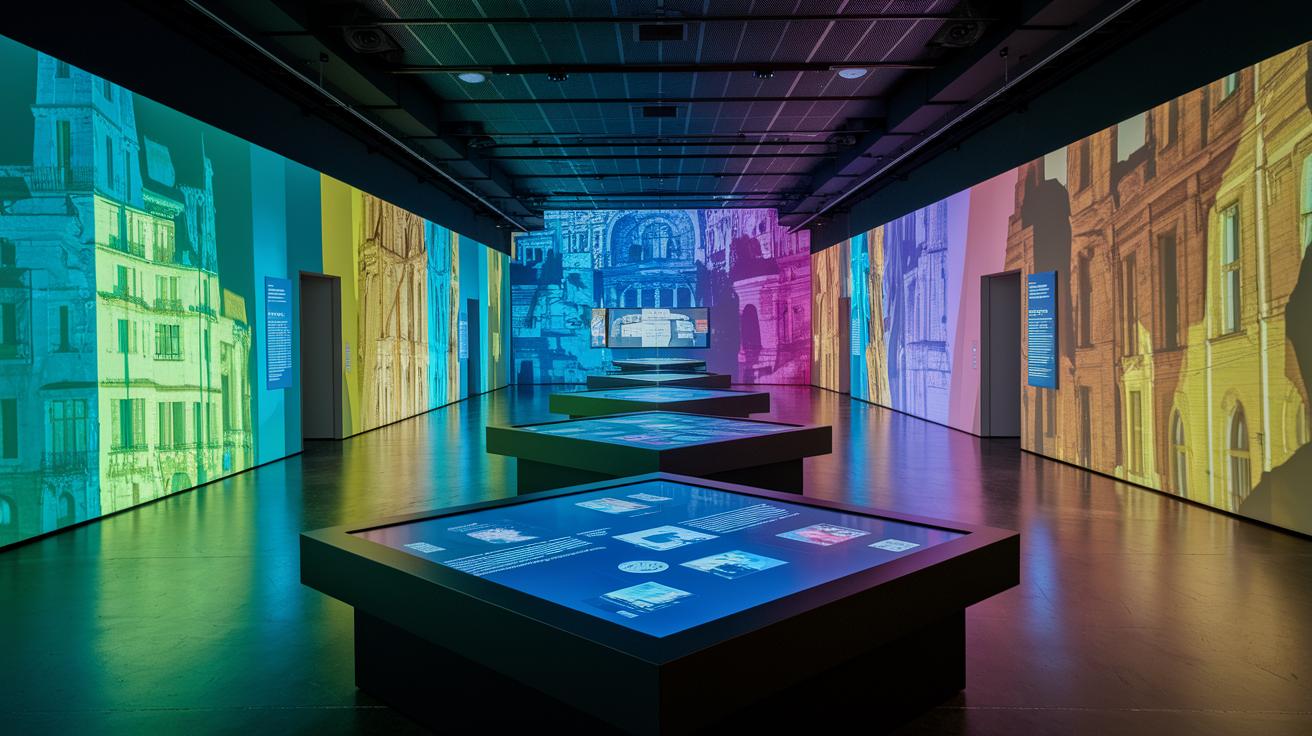
Real-world projects show how smart design turns digital interactions into unforgettable experiences. One museum exhibit mixes touchscreen tables with cool projection mapping to pull you right into history. Instead of boring displays, you get to dive into interactive learning zones where every tap brings a burst of color and activity.
Then there’s an interactive storytelling platform that flips the script on traditional narratives. With a simple swipe or tap, you become part of the journey, guiding the story as it unfolds. It’s like choosing your own adventure, where each choice deepens your connection with the experience. For more details, check out interactive storytelling at Thezeff.com.
Next, think about a mobile AR retail setup that makes shopping feel magical. Imagine previewing products using augmented reality, where digital elements blend seamlessly with your real surroundings. This mix not only boosts your interest but also makes shopping engaging and fun.
Final Words
In the action, we explored the basics of interactive design, uncovering its core elements from user input to dynamic feedback. The post walked us through the key principles, step-by-step processes, and the must-have tools that bring creativity to life. We saw how digital experiences stretch across websites, apps, and even mixed-reality settings, backed by real-world examples. All these insights show just how fun and engaging building interactive design can be. Enjoy creating amazing experiences that spark connection and creativity.


