Have you ever felt like certain websites just feel like home? Interactive design can turn a plain page into a lively adventure. It uses simple words, eye-catching images, and well-timed videos or sounds to draw you in, kind of like how your favorite game grabs your attention.
In this guide, you'll find cool resources, easy step-by-step tips, and real-life stories that show you how to bring creative energy to your projects. Ready to see how smart interactions can boost your digital work? Let’s dive in and make every online moment feel warm and real.
Interactive Design Overview: Top Resources and Tutorials
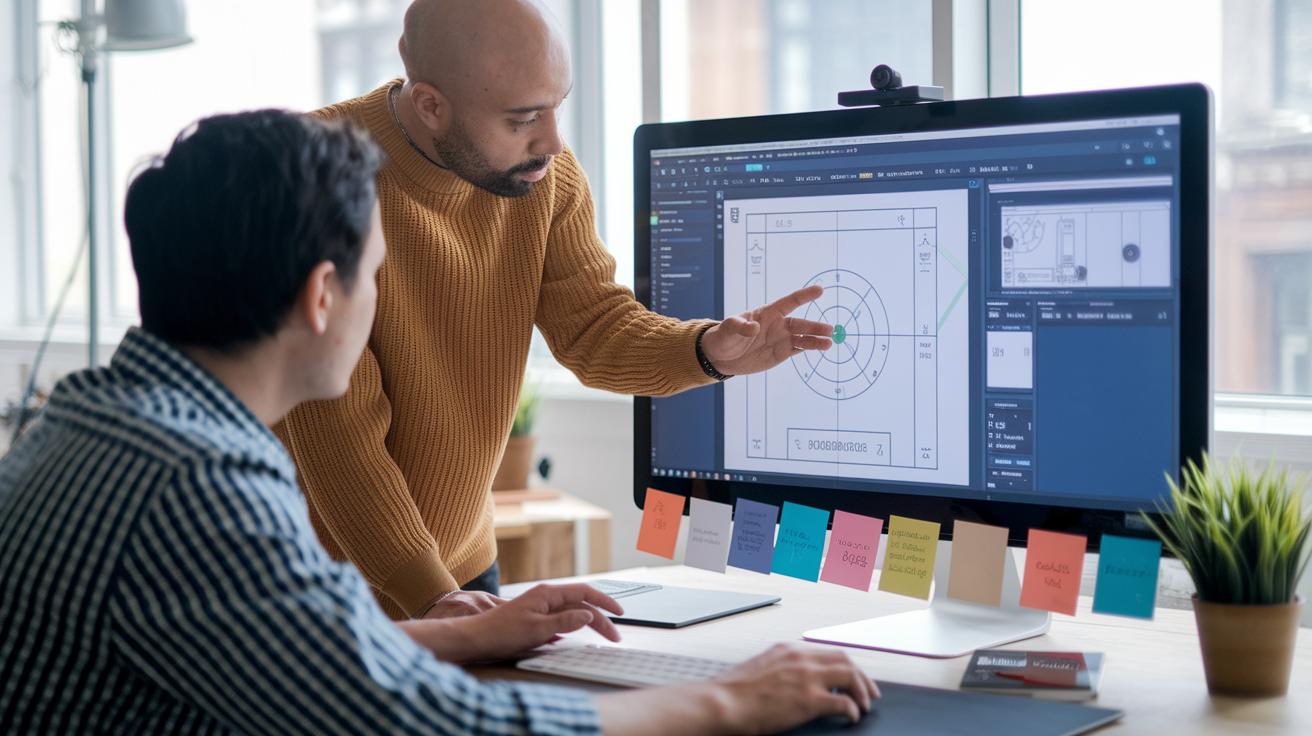
Interactive design is all about making digital experiences feel alive and inviting. It uses easy-to-understand words, striking images, smart layouts, well-timed media, and responses that feel natural, just like the old 2002 e-audition platform that used a simple online form, easy sheet music downloads, and a smooth upload process. Both design experts and beginners can jump in and enjoy this creative space.
- Tutorials (check out these interactive design case studies at https://thezeff.com?p=1669): Easy, step-by-step guides that help build a strong design foundation.
- Case studies: Real-world examples showing how smart interactions work.
- Software guides: Simple instructions on the best digital design tools.
- Community forums: Friendly spots where designers swap ideas and feedback.
- Workshops: Fun, hands-on sessions to try out key techniques.
- Portfolio examples: Inspiring showcases of creative design solutions.
These resources show how every part of interactive design, from clear text to catchy visuals, well-paced media, and smooth responses, comes together to build digital spaces that feel personal and easy to use. They offer clear tips and creative strategies that keep the design process all about the user. Dive into these tutorials, case studies, and tools, and watch your ideas transform into vibrant digital experiences that truly connect with people.
Key Principles of Interactive Design

Interactive design blends simple words, neat visuals, smart layouts, quick responses, and natural actions to build a friendly digital experience. It’s like a bridge that connects users to technology in a way that feels familiar and easy.
- Clarity in Words – Stick with everyday labels so users know what to expect. For instance, you'll choose "Send" instead of a long phrase like "Transmit your message."
- Consistency in Visuals – Use familiar icons, fonts, and colors consistently, making it simple for users to recognize and understand the interface.
- Layout That Fits – Adapt your design to suit different devices, whether it’s a small phone screen or a big desktop display. This way, the experience feels right, no matter where you are.
- Prompt Feedback – Add little touches, like a spinning icon or smooth animations, to show users that their actions are being noticed right away.
- Natural Flow – Create interactions that feel like they’re meant to be. The system should respond just the way users imagine, keeping things easy and intuitive.
When these elements come together, they create a design where every part works in tune with the others. With clear language, consistent visuals, thoughtful layouts, timely feedback, and natural behavior, designers make every digital interaction smooth and engaging, ensuring users always feel in control.
design interactive: Spark Dynamic Creativity

When you dive into interactive design, it all starts with understanding your users and crafting a solid plan. Think of it like setting off on a road trip, you map out what your audience needs and decide what success looks like. A team might even ask, "Which feature helps users get things done faster?" as a way to zero in on what truly matters.
Then comes the fun part: wireframing. This is where you sketch out the page layouts and decide on the order of information, sort of like doodling the blueprint of your favorite comic strip. Each frame builds upon the last, showing where text, images, and buttons will live so everything feels natural and easy to use.
Next up is prototyping. Here, you bring your sketches to life with models that range from simple drafts to nearly complete versions. Imagine it like building a mini version of a gadget before the full launch, every click and swipe is tried out to ensure a smooth and enjoyable experience.
Lastly, real users get to take the stage with user testing. Their feedback is like that secret ingredient in your favorite recipe, helping you tweak and refine until every part of the design feels just right and truly engaging.
Leveraging Tools for Interactive Design

Every design project starts with a solid plan, and the right tools help you move smoothly from brainstorming to sketching, testing, and refining your ideas. Designers lean on these digital helpers to clear the fog and bring projects into focus. Picture mapping out a new layout where each piece connects effortlessly, just like following a bright, colorful map.
- Figma: This tool offers a live space for your team to brainstorm and turn rough sketches into interactive mockups in real time. Imagine drawing a mobile layout and watching your ideas come alive instantly.
- Sketch: This tool lets you create clean, vector-based designs that stay sharp on every screen. Think of it like drafting a clear blueprint for your vision, step by step.
- Adobe XD: With Adobe XD, you can build interactive prototypes that even respond to your voice. It turns a static design into a friendly chat, similar to leaving a quick voice note.
- Framer: This tool helps you add lively animations and interactive details using simple code. It lets you animate a button press so well that it feels just like a real touch.
- Principle: This tool smooths out motion design, transforming a simple hover effect into a graceful shift that feels like a soft fade into view.
- HTML5/CSS3/JavaScript: These coding tools let you boost your design with custom interactive behaviors. Imagine a button that changes color the moment you click it, creating a responsive, live feel.
Mixing these tools into your design process not only hones each step but also turns abstract ideas into hands-on, interactive experiences that keep users engaged from the very first sketch to the final test.
Responsive and Mobile Interactive Design Strategies

Responsive interactive design makes your website feel at home on any device. It uses flexible grids, media elements, and breakpoints that adjust the layout for phones, tablets, and desktops. Imagine your webpage rearranging itself like a lively puzzle, where each piece slides perfectly into place as you switch from your phone to your laptop. It’s all about keeping things neat, inviting, and user-friendly no matter where you are.
Mobile interactive design is all about creating great experiences just for handheld devices. Designers focus on touch-friendly controls that easily respond to a tap or swipe and build clear, simple menus that help you navigate without fuss. Think about a big, soft "Open Menu" button that practically screams "tap me!" even on a tiny screen. These smart strategies ensure that no matter where you are or what screen you use, the site feels fresh, fun, and perfectly in tune with your needs.
Data-Driven Feedback in Interactive Design

Ever wonder what really happens behind the digital curtain? Digging into data gives you that rare glimpse into how people interact with your design, like catching the vibe of a live concert. Simple numbers such as task success rates, click counts, session lengths and even error hits tell you what rocks and what might need a little extra polish. For example, one study revealed that a small tweak to a call-to-action button boosted task completion by 20%. It’s these little surprises that help you shape designs that truly respond to what users need.
There are plenty of neat ways to gather this kind of feedback. Think of it like this: analytics tools keep track of user moves over time, A/B tests pit two design versions against each other in a friendly face-off, heat-maps show you exactly where users are clicking (kind of like a treasure map), and surveys add that personal touch by capturing real opinions. And occasionally, even vote-tracking systems can help keep things fair, especially when everyone’s input matters.
The golden rule? Keep testing and tweaking. Look at those click rates and session lengths to spot patterns, and then adjust your design step by step. Before you know it, you’re creating a smooth, engaging digital experience that feels as natural as a live performance.
Real-World Interactive Design Case Studies

E-Audition Platform by Design Interactive
Back in 2002, the E-Audition Platform turned online submissions into an effortless experience. It featured a simple online form, downloadable sheet music that worked with Acrobat Reader, and an upload process that was straightforward. Users would say, “I simply filled out the form, downloaded the music, and hit upload,” as the built-in vote-tracking system made sure every musician got an equal shot. It was like stepping into a fair and friendly talent show online.
This platform caught people’s attention by blending clear design with engaging functionality. With friendly instructions, a smooth upload journey, and a fair voting setup, it inspired musicians from all over to show their talent. The design broke down barriers, making it feel like anyone could join in, wherever they were. Every button, label, and layout choice steered users naturally through the process, as if they were getting a backstage pass to an exciting event.
Immersive Storytelling Platform
The Immersive Storytelling Platform shows how interactive design can pull you right into the action. It uses five key elements, Words, Visuals, Physical context, Time, and Behavior, to create a narrative that feels almost like a live performance. Imagine watching a series of well-timed animations that both entertain and offer real-time feedback as you interact. Every tap or swipe adds a new verse to the story.
People loved how every detail felt carefully crafted. The clear text, bold visuals, smart layouts, and prompt responses made exploring the platform feel fun and natural. It’s like being part of a digital adventure where every moment is inviting and intuitive. Designers managed to make each interaction feel as thrilling as a live concert, proving that digital storytelling can be as lively and immersive as any live event.
Final Words
In the action, this post walked through interactive design fundamentals, from key resources and solid principles to mapping out a full process with digital tools and mobile strategies. It showed how data feedback and real-world examples make a real difference. The clear explanation of user research, prototyping, and testing gives you a front-row view of how to create things that truly connect. With every step, you gain insights to design interactive experiences that keep the spark alive and invite you to keep exploring.
FAQ
Q: What does “Design interactive careers” refer to?
A: “Design interactive careers” refers to professional paths in creating digital interfaces and engaging user experiences, including roles in UI/UX design and digital media, where creativity meets technology.
Q: What is Design Interactive, Inc?
A: Design Interactive, Inc is a company known for creating innovative digital platforms that blend engaging interfaces with dynamic user experiences in various creative and technological projects.
Q: What insights do reviews on Design Interactive via Glassdoor provide?
A: Reviews on Glassdoor reveal that Design Interactive is recognized for a creative work environment, strong collaborative culture, and rewarding projects, offering valuable insights into employee experiences and company reputation.
Q: How can LinkedIn help with design interactive opportunities?
A: LinkedIn offers profiles and job listings that showcase skills and roles in interactive design. It serves as a hub to connect with industry professionals and find creative job opportunities.
Q: What does a design interactive website typically include?
A: A design interactive website typically includes dynamic layouts, responsive features, clear labels, and engaging visuals that work together to create an intuitive and enjoyable user experience.
Q: What is a design interactive fellowship?
A: A design interactive fellowship is a program or grant opportunity that supports emerging designers in developing skills in digital interface design, providing hands-on experience in creative, tech-driven projects.
Q: What interactive design programs are available at UC Davis and UW-Madison?
A: UC Davis and UW-Madison offer academic programs focused on digital media and interactive design, providing courses that emphasize practical skills, user experience strategies, and creative technical techniques.
Q: What is interactive design?
A: Interactive design is the practice of creating digital products that focus on engaging users through clear text, visuals, timing, and system responses, ensuring a smooth and user-friendly experience.
Q: What degree do you need to become an interactive designer?
A: Becoming an interactive designer typically requires a degree in interactive design, digital media, graphic design, or a related field, which helps build essential skills in user experience and digital interface creation.
Q: What are some examples of interactive design?
A: Examples of interactive design include responsive websites, mobile apps with intuitive touch controls, dynamic user interfaces with animations, and online platforms that encourage active user participation.